
⚡Supabase gives voice agents a proper backend - storage, real-time queries, and security - without the overhead of managing infrastructure.
Introduction
When I first started building voice agents, I wasn't sure where I should put all that post call data.
A single call through a platform like Retell generates 70+ data points. Multiply that by hundreds of calls a week, and suddenly you've got a lot of information sitting 'somewhere'. Most tutorials show data going to Google Sheets or AirTable - both viable options, but not the best. It could go to a CRM such as Hubspot but it's going to require a lot of work filter out just what you need.
In this post, I'll explain why Supabase has become my go-to backend for voice agent projects.
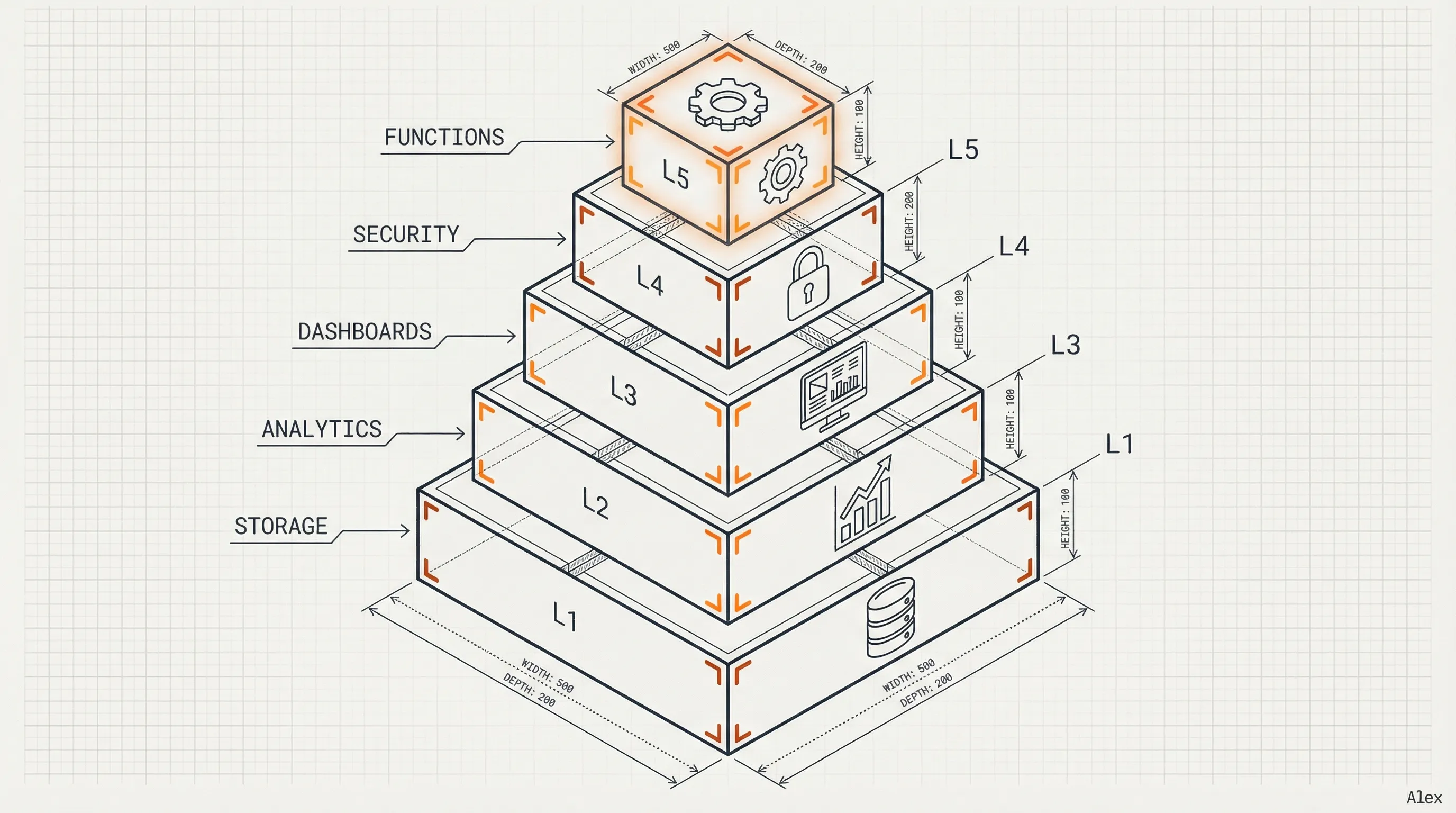
1. Supabase - Data storage
Supabase gives you a proper relational database that's straightforward to set up. Create your tables, point your webhooks at them, query the data later. Running hundreds, thousands or even tens of thousands of calls per week? That's a drop in the ocean for Postgres.
Here's the key difference from a spreadsheet: instead of cramming everything into one giant table, you split your data into separate, connected tables. One table for calls. Another for bookings. Another for contacts. Another for organizations.
Why does this matter? In a spreadsheet, you'd repeat the same customer name and phone number across hundreds of rows. In a relational database, you store that contact once and reference it. Less duplication, cleaner data, smaller storage footprint.
And when data is structured this way, you can ask much more interesting questions. Want to see all bookings for a specific contact? Easy. Want to know which organization generates the most calls? One query. The structure makes the analysis possible - which brings us to the next section.
2. Analytics Through SQL
Storing data and being able to use it are two different things.
Since your call data is in Supabase, you can ask it questions such as:
- How many calls resulted in bookings?
- What time of day gets the best conversion rate?
- Which agents are underperforming?
SQL is the language we use to talk to our database and answer questions just like these -
sql-- How many calls resulted in bookings this week?
SELECT COUNT(*) as total_bookings
FROM calls
WHERE outcome = 'booked'
  AND created_at >= NOW() - INTERVAL '7 days';
SQL queries are very powerful and can be used to answer a wide range of questions about your data. We can use it to clean data, transform data, and generate insights. Turning raw call data into insights adds real value to your agent - both for you and for your clients.
3. Dashboards for Your Clients
Here's where it gets interesting: Supabase was built as a backend for web applications, so it has a lot of features that make it incredibly easy to build a dashboard. By adding a dashboard, you offering clients a whole system - a product.
A good dashboard enables both you and your clients the ability to see what's happening at a glance. Instead of having to run complex SQL queries to get the data they need, they can just log in and see it - call metrics, booking metrics, and conversion tracking, displayed visually to help understand and interpret data - all powered by Supabase.
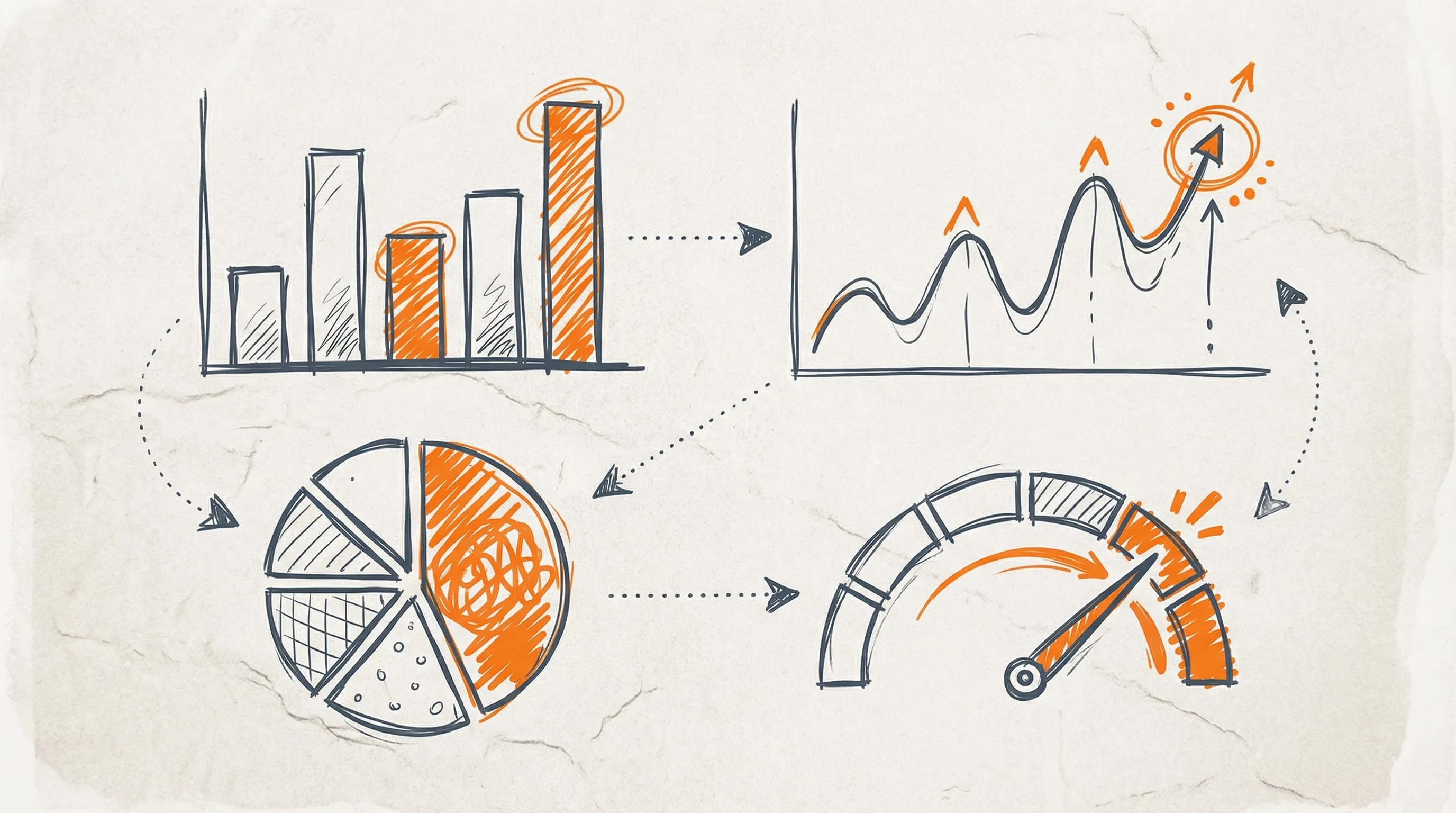
In addition to the visuals and the data insights you'll have easy access to through a dashboard, you can add functionality that helps clients manage their data. For example, you can add a feature to allow your clients to export their data, purchase more credits or generate reports.
If you have multiple clients, you can build one dashboard that handles all of them - set up a table for clients and authentication and each cleint can log into their own account. This is what you call a scalable set up!
And it's not that difficult to build a dashboard once you know Supabase. You can build that front-end yourself. Pull data from Supabase, display it however you want and control who has access to what.
4. Security and Access Control
Supabase gives us much greater levels of security and access control than a spreadsheet or AirTable.
The more clients you work with, the more you need to think about who sees what - Controlling access to data is key to protecting your clients' information.
Supabase has something called Row Level Security built in. That means you can set authorization and access levels directly in your database. Some users can view calls. Some can edit bookings. Some can see everything.
This means that you can set up a table for multiple organizations, each having access to their own data And then you can set up different access levels for different users within the same organization.

This matters for compliance too. GDPR, HIPAA, PII are real customer concerns. Supabase with its security features such as OAuth and Row Level Security handles it.
A simple scenario migh be that you have a someone from the sales team who needs access to call data in order to follow up with clients. But you don't want them to see healthcare information, payment information or any other sensitive data. You set up Row Level Security to control who can see what.
POINT-IN-TIME RECOVERY
Another 'security' feature I really love is point-in-time recovery. I made a mistake once in n8n and wiped out a table of data. It wasn't pretty! I spent hours and hours manually recovering the data. But if I'd known about point-in-time recovery, I could have restored the database to a specific moment before things went wrong in a matter of minutes. With the right administrative access, you can restore your database to any point in time at the click of a button. Superbase - Super handy.
5. Functions and Automation
The real power comes when you start automating things inside the database itself. There are two types of function in Supabase - database functions and edge functions.
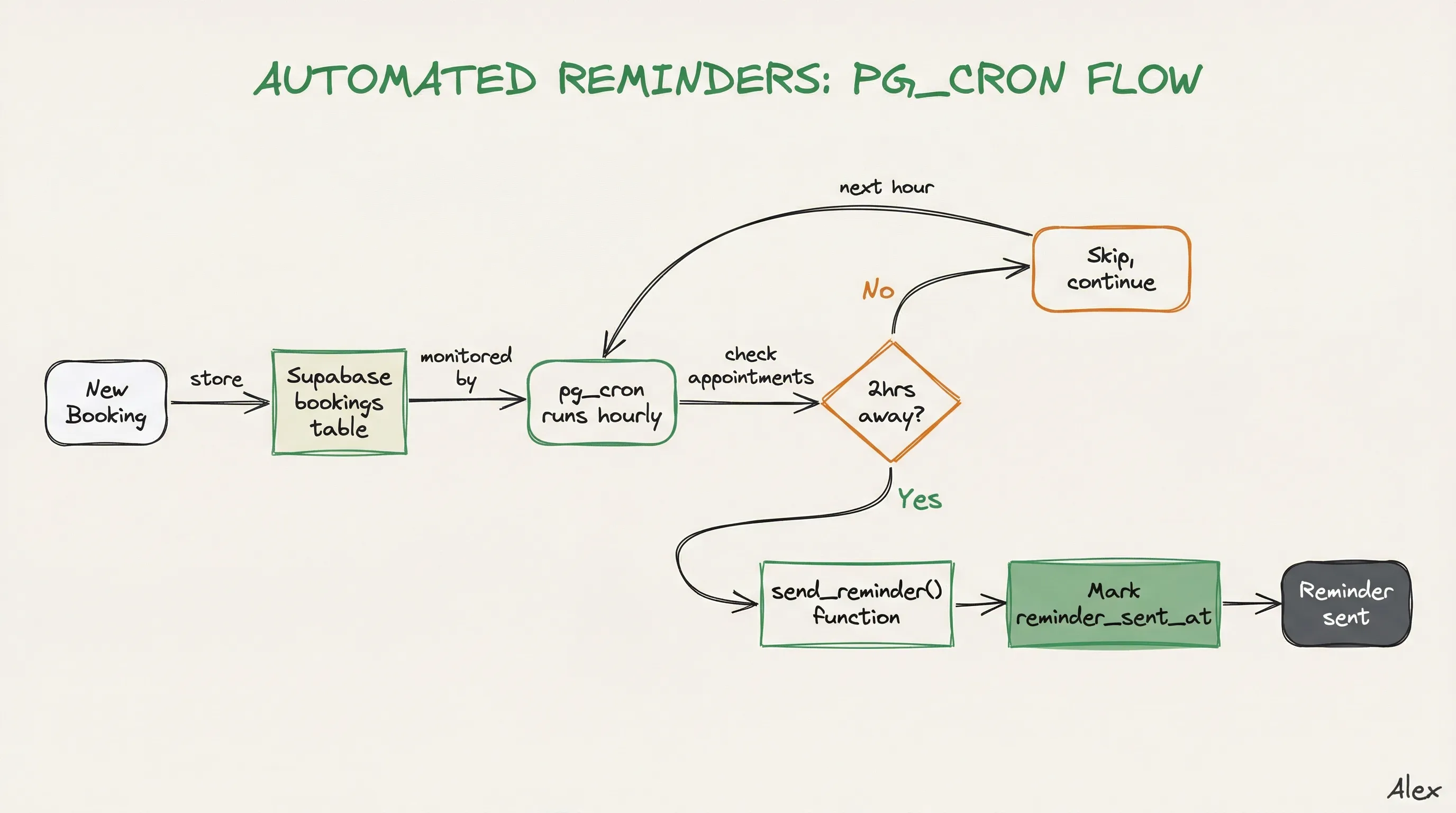
Database functions let you write custom logic that lives in Supabase. For instance, let's say your voice agent creates bookings. Your client wants booking reminders sent to attendees 2 hours ahead of the event. You can write a simple function, add the appropriate extensions - in this case 'cron' and 'http', add a trigger, and hey presto - you've got a booking reminder system!
With Edge Functions, we send http requests to Supabase and get responses back. Edge Functions are fast. They reduce function call latency which is key, especially for voice agents. For example, one of my voice agents uses an edge function to pinpoint a customer's location and determine their nearest restaurant for food delivery. The function sends a request to Supabase and, using PostGIS, it returns the nearest restaurant. The same agent then uses another Edge function to lookup menu items and another one to place an order. Each tool call takes milliseconds.
With Supabase functions, you are no longer just storing data, you are 'activating' your data, making it 'functional', 'interactive' and 'dynamic'.
What's Next
Supabase isn't complicated. It's the opposite. It's a way to move beyond spreadsheets and into actual backend infrastructure without learning a dozen new tools.
Start by setting up a table for your call data. Run a few SQL queries. See what you learn. From there, the rest follows.
And of course, using Supabase doesn't mean giving up on Google Sheets, AirTable. or Hubspot or any other CRM. From Supabase we can export data - API, ClI or export to CSV to import into any of these tools - cleaned, filtered and manageable.
Key Takeaways
- Supabase gives you structured, queryable storage for thousands of calls and booking data
- SQL queries turn raw call data into real insights
- You can build client-facing dashboards on top of your agent data
- Row Level Security handles multi-tenant setups and compliance out of the box
- Database functions and pg_cron automate tasks like appointment reminders