
⚡Store times in UTC, display them local - it's the only way to build voice agents that work reliably across timezones.
Introduction
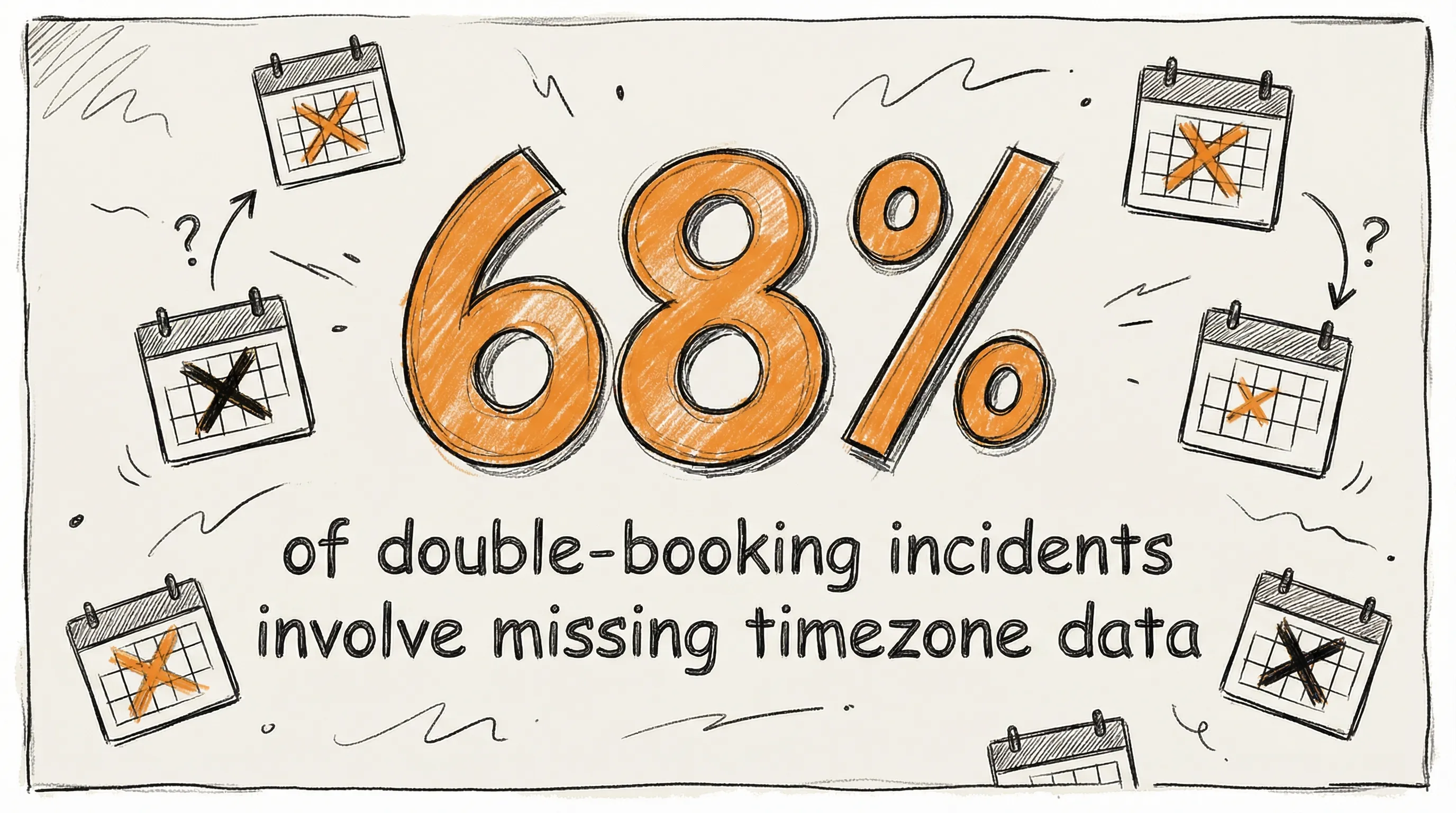
When I first started out building voice agents I had no idea about the complexities we would face when it came to getting a simple thing like the time correct.
We'd constantly get API errors because we hadn't formatted the time and date correctly, the team were working across multiple time zones, the client's backend version of the automation platform was in one timezone, while ours was in another. And then there was the issue of transitioning from summer to winter and daylight saving. The whole set up was a mess.
The upshot:
- API errors
- Bookings got messed up
- We spent multiple hours each week fixing time based errors.
What I didn't know at the time was that the solution was already available - Universal Coordinated Time (UTC).
In this blog I'll explain what it is, where the need came from and how it solves our time problems and explain why all voice agent builders should at least be aware of it.
Where UTC Came From
Coordinated Universal Time, more commonly known as UTC, is the primary time standard by which the world regulates clocks and time. While we often use "GMT" and "UTC" interchangeably in conversation, they are technically different: GMT is a longitude-based time zone, while UTC is an ultra-precise measurement governed by atomic physics.
The Origins and the "Compromise"
Before the 1960s, the world ran on Greenwich Mean Time (GMT), which was based on the position of the sun over the Royal Observatory in London. This worked for centuries, but as we entered the age of satellites, global telecommunications, and high-speed computing, the Earth’s slightly "wobbly" rotation wasn't consistent enough.
In 1960, the first version of a coordinated time was established, and by 1967, the "Atomic Second" became the official unit of time. But naming this new standard caused a diplomatic spat. English speakers pushed for CUT (Coordinated Universal Time), while French speakers insisted on TUC (Temps Universel Coordonné). In a classic piece of international bureaucracy, they compromised on UTC, so 'Universal Time' would make sense in both languages.
Zulu Time
While civilians argue over acronyms, the military and pilots took a different path. In the system of nautical time zones, the zone at zero longitude is designated by the letter Z. In the NATO phonetic alphabet, Z is "Zulu." Today, if a NATO pilot or a software engineer says "the server goes live at 1400 Zulu," there is zero ambiguity.
Supabase - Storing UTC - Timestampz data type
Switching to Supabase really helped simplify working with time, especially as most of my projects are based on appointment setting.
As a Postgres-based database platform, Supabase offers the option to use the timestamptz data type.
In
timestamptz, "tz" is shorthand for "Time Zone" (timestamp with time zone). However, the reason we use the letter "Z" in programming to denote UTC (like in 2023-10-27T10:00Z) is because of the Zulu designation.
Timestampz
Use timestamptz datatype (timestamp WITH timezone), not timestamp. PostgreSQL automatically uses timestamptz to convert IS0 8601 formatted time to UTC for storage and in the process, discards the offset. That's good. That's what we want.
Let’s say a new booking is created in Cal.com. The user is based in Paris. The booking data is sent to our database as an ISO 8601 string: 2026-07-28T17:00:00+02:00 (5:00 PM, two hours ahead of UTC because Paris is on Summer Time).
Supabase will store this as 2026-07-28T15:00:00+00:00. You might notice it uses +00:00 instead of the letter Z. Don't worry—they are the same thing. The database just prefers the numeric version of "Zulu" to keep things mathematically consistent. The +02:00 has been normalized, and our "Single Source of Truth" is preserved. If we ran an API call on the data, the response would show 2026-07-28T15:00:00Z.
Adjusting for UTC - IANA
When constructing prompts for AI Voice agents in platforms like Retell, you'll normally need to put the IANA time - Retell recommends using {{current_time_[timezone]}} Current time in specified timezone, for example: {{current_time_Australia/Sydney}}.
You don't actually need to create any functions to do the conversion. Once the webhook passes the IANA name (e.g., Asia/Tokyo) into the Agent's system prompt, the LLM takes over. It uses that IANA anchor to translate the UTC timestamp from your database into a conversational sentence for the caller.
And all this happens in the blink of an eye.
Using IANA in a database for users
So the user's timezone needs to be stored separately as an IANA timezone name - America/New_York, not -04:00. Offsets change when DST kicks in. IANA names stay valid.
The key point here is that the database can't compare times reliably if they're in different reference frames.
A Real Example: Global Workshop Registration
Let me show you how this actually works. A global company based in London runs a workshop at 12:00 UTC on Thursday January 22, 2026. The database stores it as: 2026-01-22T12:00:00Z.
The company uses an AI Voice Agent to register participants - employees from various locations around the world.
Two people call to register:
Alejandra from Madrid calls. The agent says: "Great, I've booked you for 1pm (CET)."
Akiko from Tokyo calls. The agent says: "Great, I've booked you for 9pm (Tokyo time.)"
They are both booking the same workshop. But they get different confirmation times because the agent is timezone-aware for each caller.
The challenge
Voice agents typically have their own timezone (like Europe/London in the example above). But, the example above showed the voice agent was aware of the the timezones of the two workshop participants.
So how did we make the voice agent timezone-aware for the person it's speaking to as well?
Step 1 - The Database
First, we need to create a userstable in the database
sqlCREATE TABLE users (
  id uuid PRIMARY KEY,
  user_number text UNIQUE NOT NULL,
  timezone text NOT NULL,  -- IANA format: 'Asia/Tokyo', 'Europe/London'
  created_at timestamptz DEFAULT now()
);

-- Then, using the example above, create an bookings table.
CREATE TABLE bookings (
  id uuid PRIMARY KEY,
  user_id uuid NOT NULL REFERENCES users(id),
  appointment_time timestamptz NOT NULL,  -- Stored in UTC
  created_at timestamptz DEFAULT now()
);
The timezone lives in the users table. The bookings time lives in UTC. These two pieces combine when the agent speaks.
Step 2 - Inbound Webhook
When a call comes in, the caller's phone number is part of the webhook payload. The inbound webhook queries the database to get the user's timezone. We can use n8n, Cloudflare Workers or in our case, since we are using Supabase, create an Edge Function. Ultimately, we are asking for something like this:
sqlSELECT timezone FROM users WHERE user_number = '+34612573902';
As an Edge function:
typescript// Edge Function code
  const { user_number } = await req.json()

  const { data } = await supabase
    .from('users')
    .select('timezone')
    .eq('user_number', phone_number)  // Note: your column is user_number not phone_number
    .single()

  return new Response(JSON.stringify({ timezone: data.timezone }))
If you prefer using n8n, the node flow looks like this:
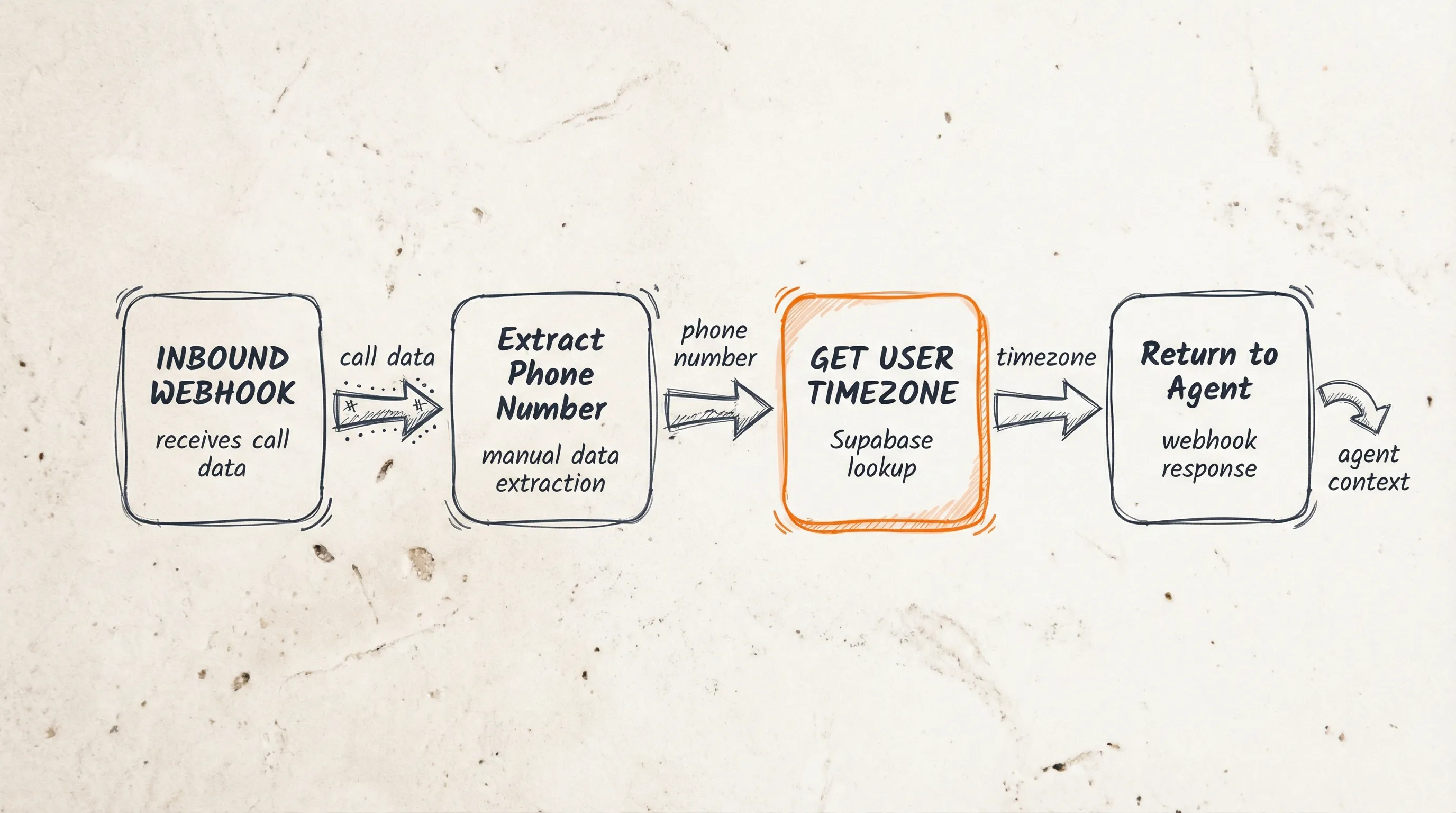
The flow is: RETELL -> WEBHOOK -> SET NODE -> HTTP -> RESPONSE
Either way, it returns:
Returns: Europe/Madrid for Alejandra, or Asia/Tokyo for Akiko.
The webhook pre-populates the agent knowledge with the user's timezone before the call starts. The agent now knows two things:
- The workshop is at
2026-01-22T12:00:00ZUTC - This caller is in Tokyo (or Madrid)
What the agent does
So, when the agent is confirming the appointment, the agent retrieves the UTC time of the appointment from the database and converts it to the user's timezone using the IANA name and thus we get:
For Alejandra:
- UTC:
2026-01-22T12:00:00Z - Madrid time (UTC+1 in January): 1pm on January 22
- Agent says: "Great, I've booked you for 1pm on Thursday 22nd January, Madrid time."
For Akiko:
- UTC:
2026-01-22T12:00:00Z - Tokyo time (UTC+9): 9pm on January 22
- Agent says: "Great, I've booked you for 9pm on Thursday 22nd January, Tokyo time."
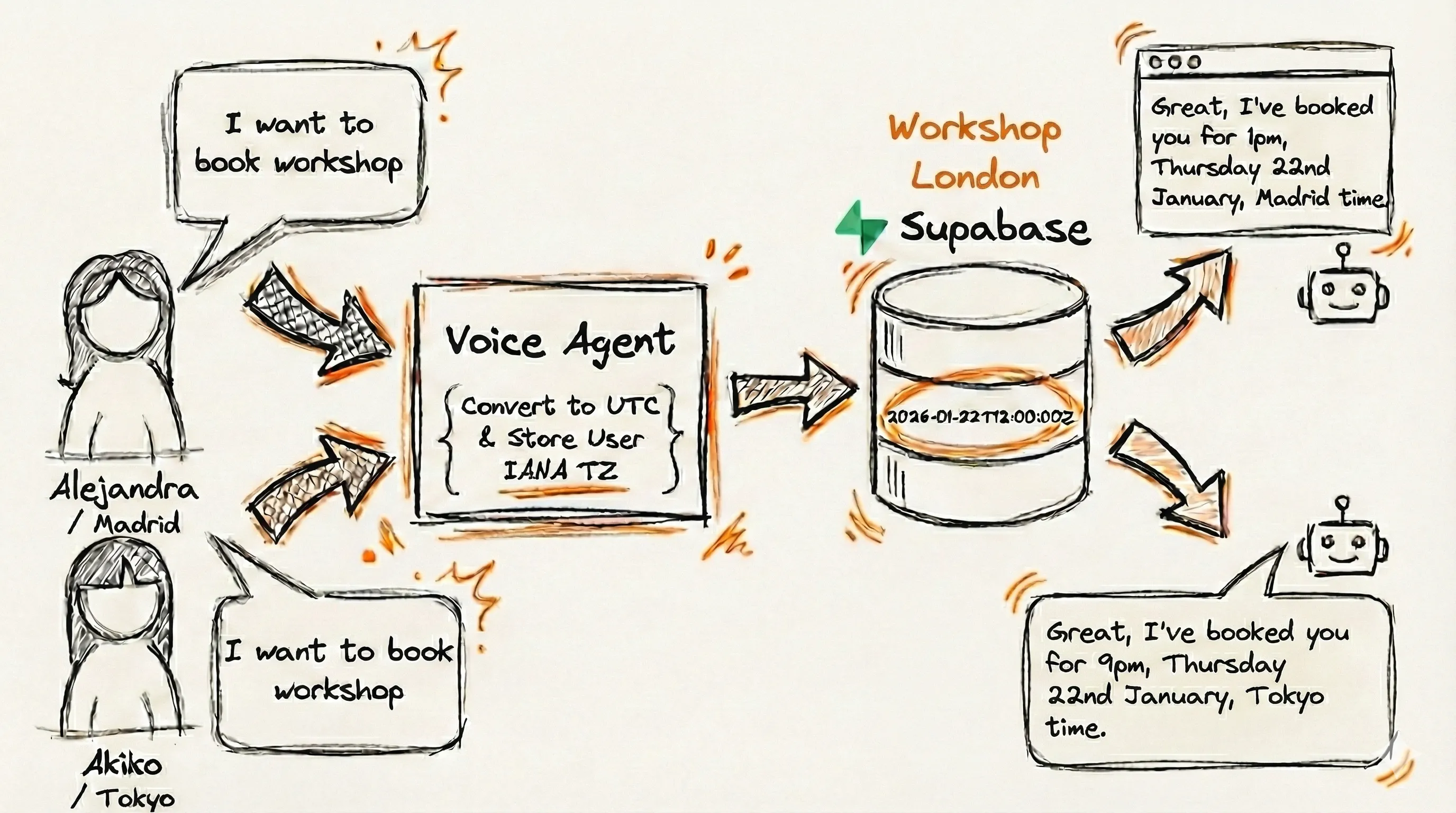
UTC is the foundation that makes it work.
Supabase Tip
If you using Supabase to view your stored data, either through a front end dashboard or directly in Supabase, we found it helpful to create a database view table' with a column showing the local booking times. This was to help me at a glance check that local times were the same as Cal's front end local times without me having to make the conversions in my head. The database view table is just a visual representation of a SQL query and a piece of cake to set up.
Conclusion
Understanding and implementing UTC into your AI voice workflows can save you hours of troubleshooting and prevent massive headaches down the line. By anchoring your data to a single reference point using UTC and using IANA names to handle the "human" side of time, you guarantee consistency across every time zone on Earth.
It’s simple to set up, easy to manage, and ensures that your AI agents always know exactly when "now" is - no matter where and who they are talking to.
Key Takeaways
- Storing times in UTC improves accuracy
- Easy to manage once you grasp the concept
- Works in conjunction with IANA to convert between UTC and local time
- Requires database with Timestampz data type such as Supabase.
- Inbound webhooks can provide your agents with the caller's timezone before call